Split Screen Video Maker

Combine video clips, tell two stories at once, and create scroll-stopping content — no video editing experience required. BigMotion's split-screen video maker works entirely in your browser, no software to install.

Custom scenario generation
Thank you! Your submission has been received!
Oops! Something went wrong while submitting the form.
Generate

Split Screen Video Maker Features

No Video Editing Experience Needed
Forget complex video editing software. BigMotion runs in your browser — no downloads, no timeline, no setup. If you can drag and drop, you can create a split-screen video in minutes.
AI Builds Your Layout Automatically
Upload your video files, and BigMotion handles the rest. The AI syncs clip duration, balances the layout, and places each video into its own frame — no editing tools required.
Every Format, Every Platform
Export your split-screen video and share it anywhere — YouTube, Instagram Reels, TikTok, or download to your device. BigMotion supports MP4, MOV, AVI, and optimizes output for every major social media platform.

How To Make a Split-Screen Video

🎬  Stop complicating. Start creating.

1

Enter your topic and pick a style

Type what you want your split-screen video to show, choose a visual style, and pick your audio. Just a few clicks and your project is ready to build.
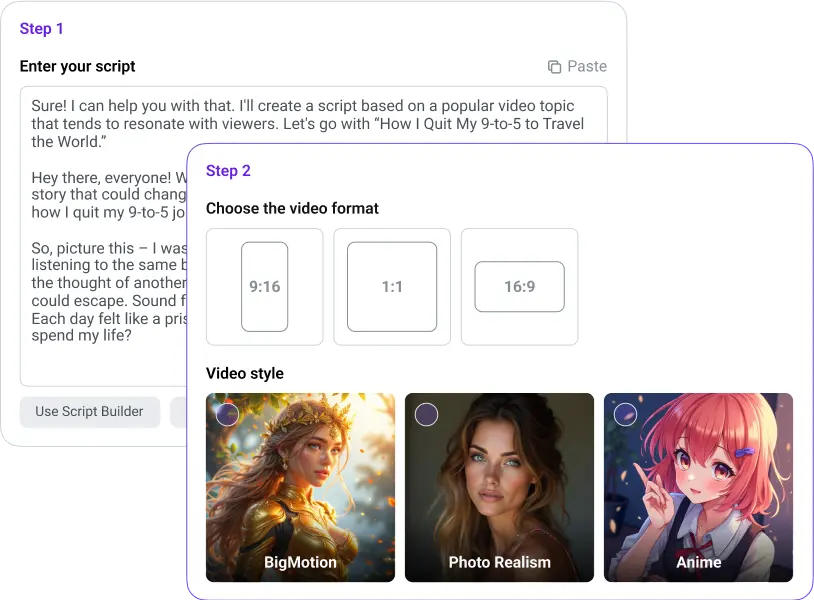
Video creation interface with script input, format selection, and style options: BigMotion, Photo Realism, Anime.
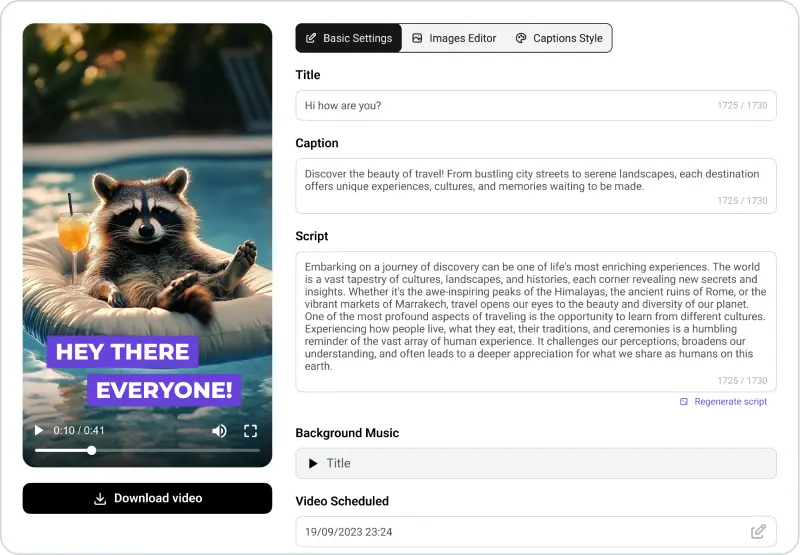
Video editing interface showing a raccoon lounging with a drink. Includes title, caption, script, background music options, and a download button.
2

Create and edit your split screen

BigMotion generates your your split screen video instantly — AI writes the script, selects visuals, adds voiceover, and syncs background music. Preview every scene, swap visuals, add subtitles, and adjust captions before you publish.

3

Finalize and share

Preview your complete split screen video, make final adjustments, and share directly to YouTube, TikTok, and Instagram Reels — no additional software needed.
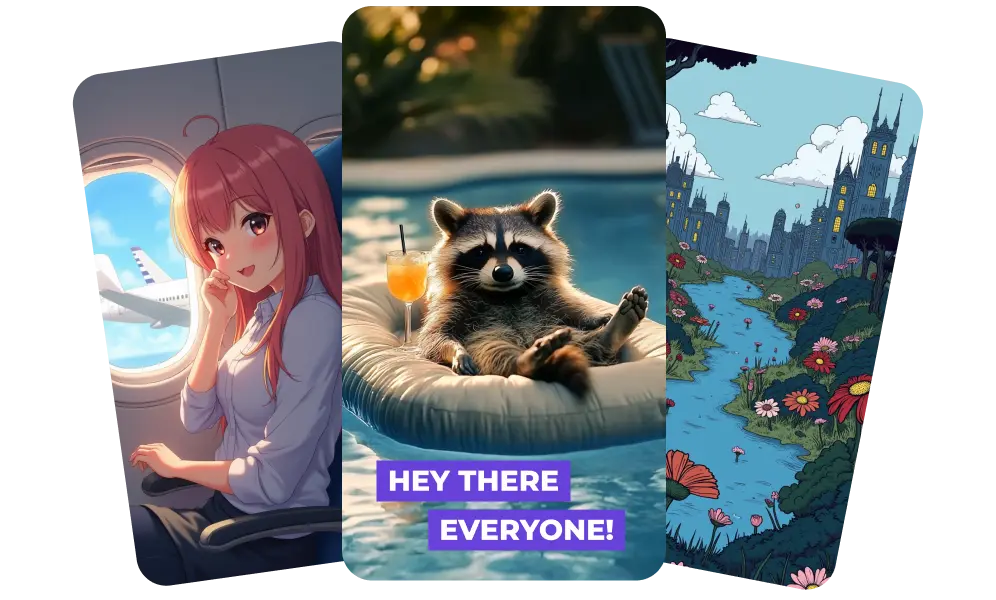
Preview and download your video. You can use it as-is or edit it with CapCut before launching your FB campaign. Easy? Fast? Absolutely!

Perfect For:

Content Creators

Create split-screen videos that compare, contrast, or tell parallel stories — and keep your audience watching longer.

Marketers

Put your product demo and customer reaction in one frame. Split-screen video is one of the highest-engagement formats on every social media platform.

Small Businesses

Combine before-and-after clips, display two products at once, or create a split-screen effect that makes your brand impossible to scroll past — no video editing tools required.

Unlock your series

Choose the perfect plan to empower your content creation

Hobby

Start your first series

$19
/ month
Select Plan
~14 videos / month
AI-generated videos in your niche
Auto-posting to TikTok, Instagram & YouTube
New videos created automatically on schedule
Background music
6+ video art styles
No watermark

Daily

One new video every day

$39
/ month
Select Plan
~30 videos / month
AI-generated videos in your niche
Auto-posting to TikTok, Instagram & YouTube
New videos created automatically on schedule
Background music
6+ video art styles
No watermark

By confirming your payment, you enroll in a monthly subscription to BigMotion for $39 / $89 / $179/month after a $19 / $39 / $79 first 1-month trial, giving you full access to our premium features and services. Your subscription will renew automatically each month until you cancel. You may cancel at any time by contacting us at help@bigmotion.ai. See our Terms of Service and Subscription & Refund Policy for more details.

Split Screen Video Maker FAQ

What video file formats does the split-screen video maker support?

BigMotion's split-screen video editor supports all major formats — MP4, MOV, AVI, and more. Simply upload your files from any device, and the editor handles the rest. No conversion needed before you start.

Can I add subtitles and text to my split screen video?

Yes. BigMotion lets you add subtitles and text overlays to your split screen video. Choose from 10+ caption styles, adjust font size, color, and position — all before you share.

How do I publish my split screen video after creating it?

BigMotion auto-posts your split screen video directly to TikTok, YouTube, and Instagram Reels on a schedule — no manual uploading needed. Connect your accounts once and BigMotion handles the rest.

Is the split-screen video maker easy to use for beginners?

Absolutely. BigMotion is built for creators with no video editing experience. There's no timeline to learn, no complicated software to install — just upload your clips, pick a layout, and the AI handles the rest.